

multicall

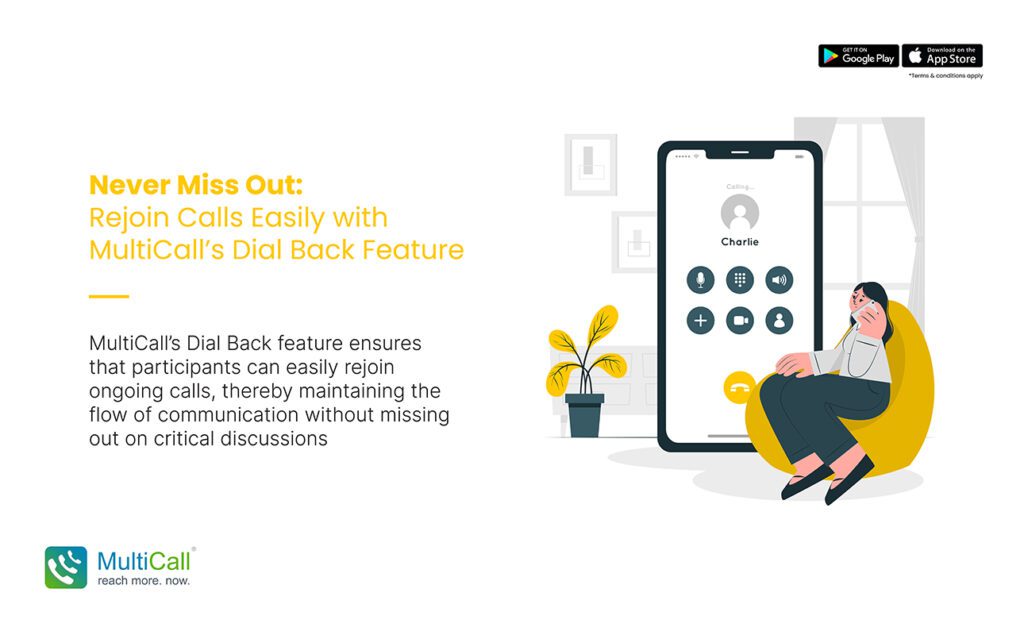
Never Miss Out: Rejoin Calls Easily with MultiCall’s Dial Back Feature

In the realm of digital communication, one of the key challenges users face is maintaining consistent connection during important calls. Interruptions due to network issues, dropped calls, or other disruptions can be significant hindrances. This is where MultiCall’s Dial Back feature becomes a game-changer, ensuring that participants can easily rejoin ongoing calls, thereby maintaining the flow of communication without missing out on critical discussions.

Understanding the Dial Back Feature

The Dial Back feature in MultiCall is designed to quickly reconnect users to an ongoing call if they get disconnected. With just a simple action, participants can seamlessly rejoin the conversation, minimizing the disruption caused by the disconnection.

How the Dial Back Feature Works

  1. Automatic Prompt: When a user gets disconnected from a call, the Dial Back feature automatically prompts them to rejoin.

  2. One-Click Reconnection: The user can rejoin the call with a single click, without the need to dial in manually or enter access codes.

  3. Seamless Continuation: The feature ensures a smooth transition back into the call, allowing the user to catch up with the ongoing discussion promptly.
Untitled-1-Recovered-Recovered

Benefits of the Dial Back Feature

  1. Enhanced Call Continuity: Reduces the impact of call drops, ensuring that meetings and discussions can continue uninterrupted.

  2. Time Efficiency: Saves time by eliminating the need to manually redial or navigate through menus to rejoin a call.

  3. User Convenience: Provides a hassle-free way to reconnect, enhancing the user experience.

  4. Improved Participation: Ensures that all participants, especially in critical business or team meetings, can remain engaged throughout the call.

Optimizing the Use of Dial Back Feature

  1. Enable Notifications: Ensure that call notifications are enabled so that you receive the Dial Back prompt immediately after disconnection.

  2. Brief Interruption Handling: Brief participants about how to use the Dial Back feature effectively at the start of the call to ensure smooth handling of any interruptions.

  3. Maintain Updated App Version: Regularly update the MultiCall app to ensure you have the latest features and improvements, including any enhancements to the Dial Back functionality.

Conclusion

MultiCall’s Dial Back feature is a testament to the platform’s commitment to seamless and uninterrupted communication. It empowers users to stay connected and engaged, ensuring that important conversations are not hindered by unexpected call drops. With this feature, MultiCall users can truly ‘never miss out’, regardless of connectivity challenges.


Contact Form


apple-store-app
google-play-app

YOU MAY ALSO LIKE

audio

 How Audio Meetings Keep Teams Focused and Efficient

In fast-paced workplaces, distractions can slow progress and reduce productivity. Meetings are meant to align teams, share updates, and make decisions, but poorly managed sessions can waste time. Audio meetings provide a streamlined way to keep teams focused, engaged, and efficient.

Read More »
collaboration

Why Coordination Matters More Than Collaboration Tools

Many enterprises invest heavily in collaboration tools, expecting them to solve all communication challenges. While tools are helpful, coordination is what truly drives efficiency. Without clear coordination, even the most advanced platforms cannot ensure smooth workflows, timely decision-making, or productive teamwork.

Read More »
communication

 The Competitive Edge of Faster Internal Communication

In today’s fast-moving business environment, speed matters. Teams that communicate quickly can respond to challenges, seize opportunities, and make decisions before competitors. Faster internal communication gives enterprises a strategic advantage, improving collaboration and overall efficiency.

Read More »
communication

Communication Stability as a Business Continuity Tool

Business continuity depends on consistent and reliable communication. During disruptions, whether technical failures, natural events, or sudden operational challenges, teams must stay connected to maintain productivity. Audio conferencing offers a stable solution, allowing enterprises to continue operations seamlessly.

Read More »
voice backup

Why Enterprises Should Have a Backup Voice Strategy

Unexpected disruptions can hit any business. Internet outages, technical failures, or emergencies can stop normal communication, affecting productivity and decision-making. Having a backup voice strategy ensures enterprises remain connected, respond quickly, and maintain operations even during disruptions.

Read More »