
REDUCING DOWNTIME: MULTICALL AS A BACKUP COMMUNICATION CHANNEL FOR IT TEAMS
The problem is, when critical technology goes down, the communication channels IT teams depend on, such as VoIP, chat, or cloud-based services, often go with it.
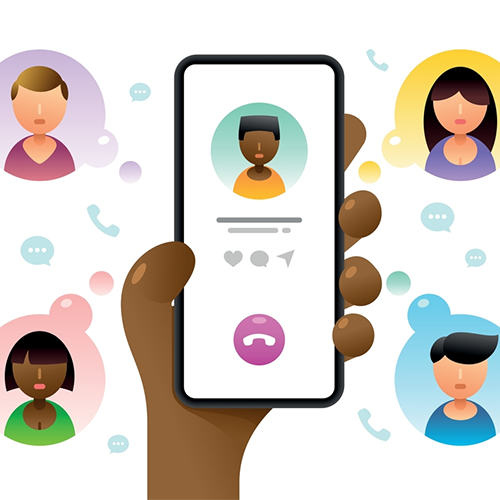
In the age of digital communication, group calls have become an integral part of our daily interactions, be it in professional settings or personal life. The introduction of one-touch dialing has significantly simplified the process of making these calls, offering a seamless and user-friendly experience. This innovation is transforming the way we connect with multiple people, making group calls more accessible and efficient than ever.
The Convenience of One-Touch Dialing
One-touch dialing allows users to initiate or join group calls with just a single action. This eliminates the need for dialing multiple numbers or navigating through complex call setups. The simplicity of this feature is its biggest strength, making group communication hassle-free for everyone, irrespective of their tech-savviness.
Benefits of One-Touch Dialing in Group Communication
Applications of One-Touch Dialing
Maximizing the Potential of One-Touch Dialing
– Pre-configure Groups: Set up groups in advance for recurring meetings or family calls, making future communications even more straightforward.
– Integration with Other Tools: Combine one-touch dialing with calendar apps and reminders to streamline the scheduling of group calls.
– Training and Awareness: Ensure users are aware of and know how to use the one-touch dialing feature to its full potential.
Conclusion
One-touch dialing is more than just a feature; it’s a step towards simplifying digital communication. By making group calls effortless and efficient, it caters to the growing need for quick and effective communication in today’s fast-paced world. Whether for professional collaboration, remote work, education, or personal connections, one-touch dialing is indeed simplifying the way we connect.

The problem is, when critical technology goes down, the communication channels IT teams depend on, such as VoIP, chat, or cloud-based services, often go with it.

MultiCall’s primary value proposition for NGOs lies in enabling HQ-foster connections with field-based teams through high-quality voice calls. Social projects are challenging in themselves; by facilitating multi-person calls in low-connectivity environments, MultiCall brings teams closer.

Large enterprises are all about collaboration. Enter MultiCall’s voice communication system that effortlessly connects multiple departments via unlimited group calling and smart scheduling.
Video conferencing often makes interdepartmental meetings inaccessible for many teams. When departments can’t meet without lags or face login issues and other video call mishaps, communication bottlenecks happen.

The MultiCall solution is centered around team calling. Group calls over voice make it possible for teams to coordinate schedules, share information, and discuss important topics. MultiCall enables users to connect in the fastest, most reliable, and most secure way possible.

It could be a village doctor trying to connect with a specialist in the city or a mobile medical team updating the hospital about their work. With MultiCall’s PSTN backbone, such calls go through with reliability, without needing high-speed data or Wi-Fi.

Efficiency equals profitability in business; central to that is communication. Countless organizations have miscalculated the cost of an unreliable phone or messaging application. Hours of delays, dropped calls, miscommunication, lost meetings, and disjointed coordination can translate into serious financial loss for an enterprise.
Communication has become less of an amenity and more of an investment. Enterprise voice communication software like MultiCall, with a complete solution for large teams, comes with a very clear and direct return on investment (ROI) through increased productivity, decreased downtimes, and operationally safeguarded communication.